Invalid MinimumOSVersion. App that only support 64-bit devices must specify a deployment target of 8.0 or later

最近在提交iOS app审核时,在最后上传App Connect时,给了我一个报错,提示我的部署target版本无效,但同样的环境,两周前还能正常提交,现在报错了。
在此记录一下。
问题
Upload failed with errors:
The following issues occurred while distributing your application.
Validation failed
Invalid MinimumOSVersion. App that only support 64-bit devices must specify a deployment target of 8.0 or later. MinimumOSVersion in 'xxx.app/Frameworks/App.framework' is ".(ID: ac595c50-225c-4599-8378-5bd5daece418)
问题截图
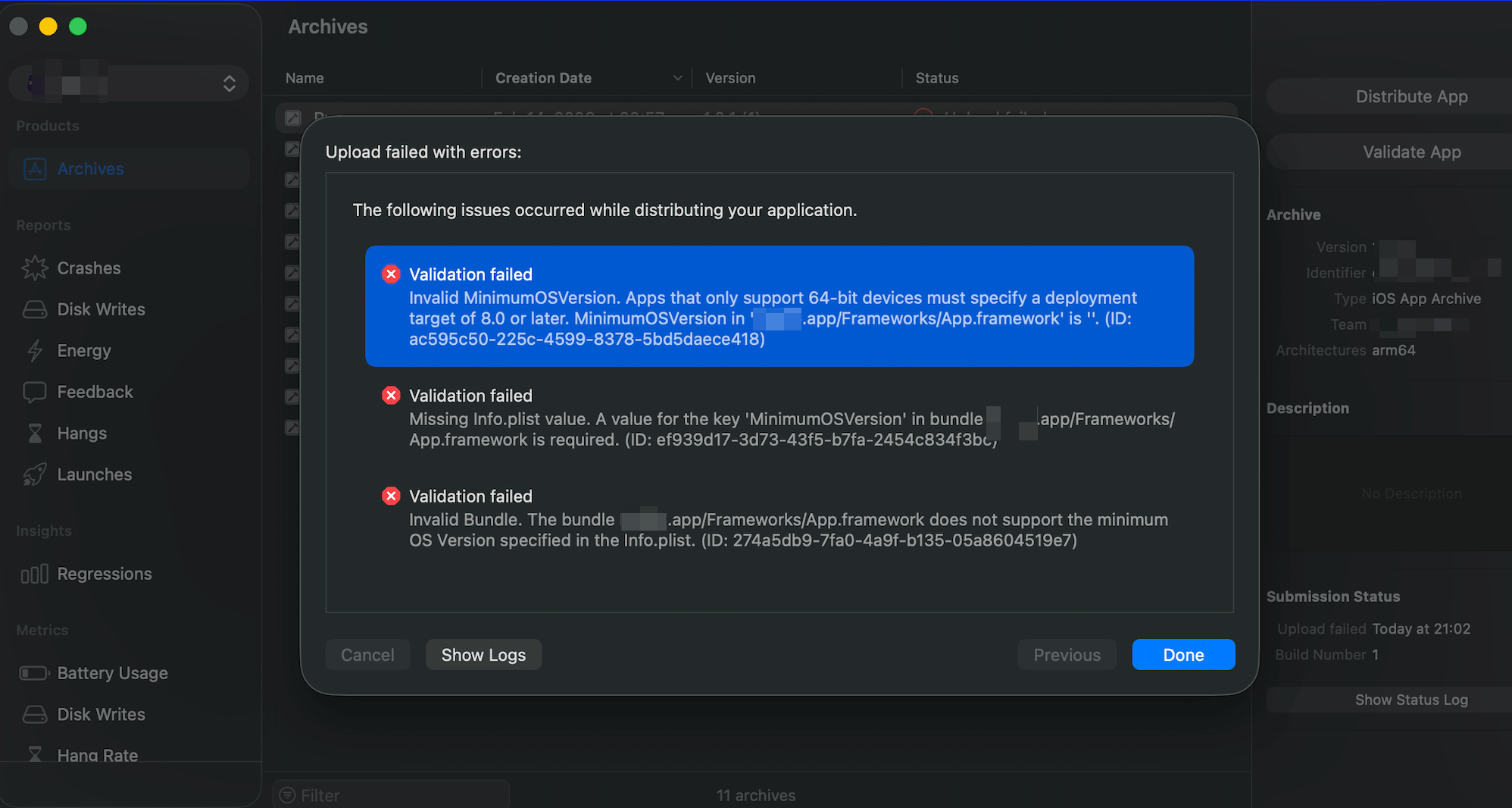
首先说明一下我的工程是Flutter工程,然后编译为iOS进行的发布。
修复问题
- 这个问题,首先确认一下自己的iOS工程中的target的deploy配置是否是正常的,有没有可能由于某些原因发生过变化。
XCode -> target -> General -> deployment -> version
其实这一步查过了没有什么问题。
- 右键你刚刚上传的Archive,显示包内容,在frameworks文件夹下查找
App.framework,继续右键查看包内容,找到info.plist文件,查找是否有target deploy的配置。
这一步可能也没有发现什么问题,如果没有找到,那就是证明了这个issue的存在。
- 修改Podfile文件 上面的2步只是基础检查,可能并不会有什么帮助,所以我们直接修改Podfile文件,将每一个target都设置deployment target version.
首先,确保顶部的版本设置。
Podfile
# Uncomment this line to define a global platform for your project
platform :ios, '13.0'
然后在target下针对性的使用module
Podfile
target 'Runner' do
  use_frameworks!
  use_modular_headers!  这句

  pod 'SwiftyStoreKit'

  flutter_install_all_ios_pods File.dirname(File.realpath(__FILE__))
  target 'RunnerTests' do
    inherit! :search_paths
  end
end
最后针对每一个target进行配置deployment target:
terminal
...
post_install do |installer|
  installer.pods_project.targets.each do |target|
    flutter_additional_ios_build_settings(target)

    target.build_configurations.each do |config|
          config.build_settings['SWIFT_VERSION'] = '5.0'
          config.build_settings['IPHONEOS_DEPLOYMENT_TARGET'] = '13.0'  # 这句
...-
删除Podfile.lock文件,方便后续重新pod install
-
清理工程
首先clean flutter:
terminal
flutter clean- 升级flutter到stable最新版本,防止flutter的版本变化影响。
查看当前flutter的channel:
terminal
flutter --version如果需要切换到stable:
terminal
flutter channel stable升级到stable最新版本
terminal
flutter upgrade然后pub get:
terminal
flutter clean
flutter pub get- 编译为iOS
terminal
flutter build ios-
重新archive
通过Xcode打开iOS工程,重新archive。 -
上传到App Connect
-
无报错。
至此,我的问题已经解决了,欢迎大家一起讨论,请关注我。
暂无评论,快来发表第一条评论吧