ARTICLE
taro react eslint的issue记录:Unexpected usage of doublequote. eslint(jsx-quotes)

全栈老韩
全栈工程师,擅长iOS App开发、前端(vue、react、nuxt、小程序&Taro)开发、Flutter、React Native、后端(midwayjs、golang、express、koa)开发、docker容器、seo优化等。
在使用taro框架的react来编写小程序时,遇到一个小的代码eslint问题,在这里记录一下。
问题截图:
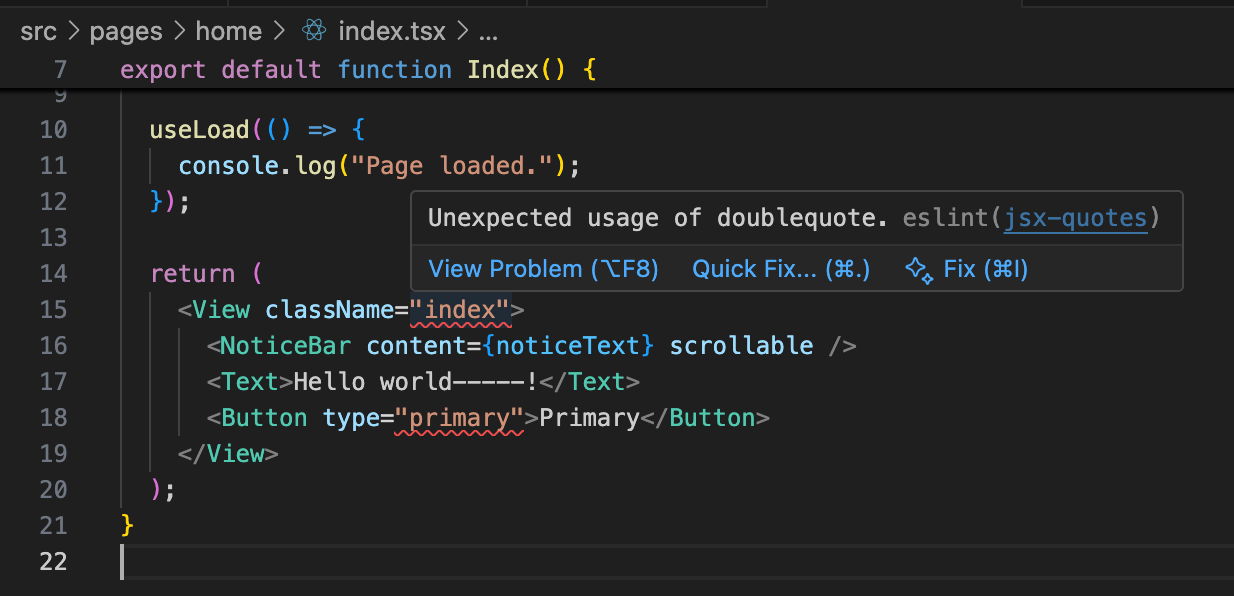
问题描述:
Unexpected usage of doublequote. eslint(jsx-quotes)
从上面的问题截图中可以看出,自从使用taro init出的项目,自带了eslint的配置,在我编写的一小段代码中,classname右侧使用了双引号,但是eslint提示,不希望使用双引号的写法。
那么只要使用单引号包裹classname,那么这个提示就会消失的,但是我的visual studio code中已经对我其他的项目都配置是使用单引号的写法,所以我要单独配置当前的小程序eslint规则(taro工程中有一个.eslintrc文件)。
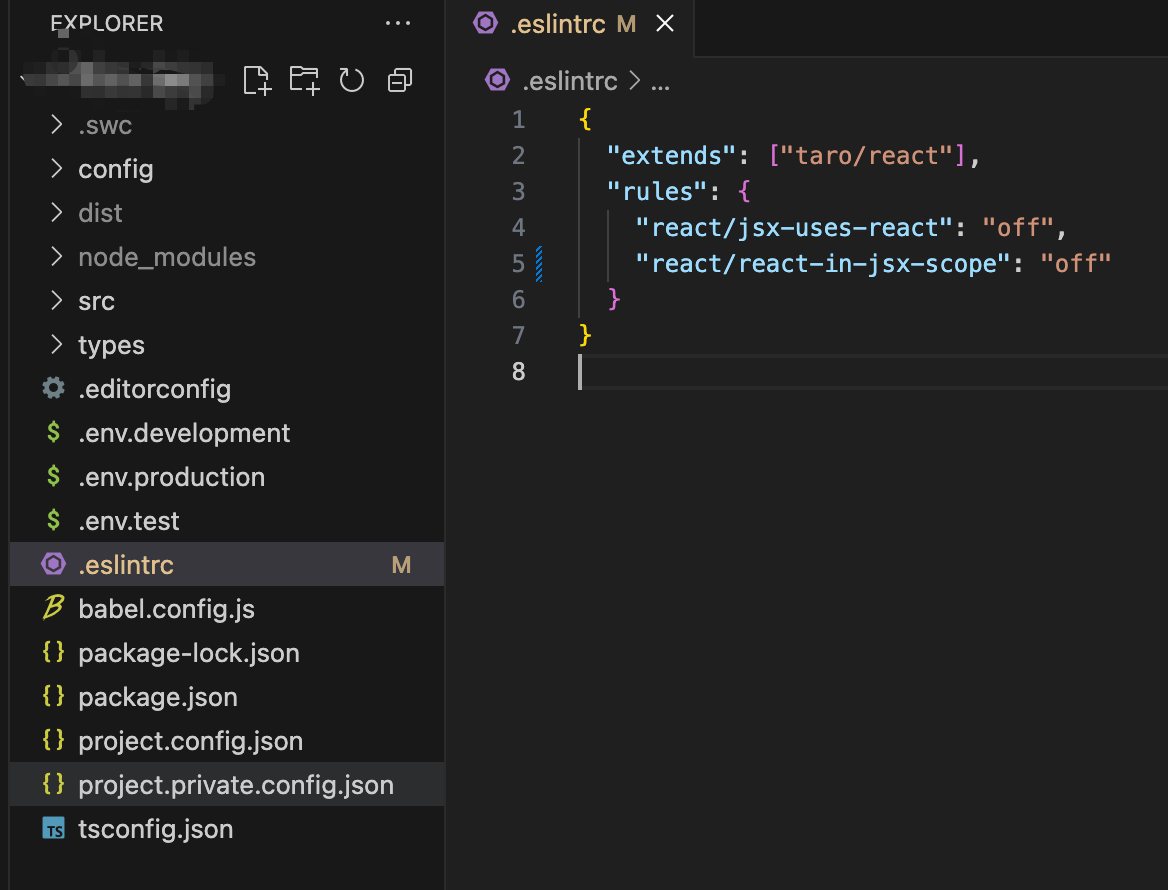
我们看一下taro react小程序工程中的eslint规则:
.eslintrc
{
  "extends": ["taro/react"],
  "rules": {
    "react/jsx-uses-react": "off",
    "react/react-in-jsx-scope": "off"
  }
}那么我想要eslint的双引号的提示消失,就需要在这个文件中进行配置,只需要增加一个jsx-quotes的配置,如下:
.eslintrc
{
  "extends": ["taro/react"],
  "rules": {
    "react/jsx-uses-react": "off",
    "react/react-in-jsx-scope": "off",
    "jsx-quotes": "off"
  }
}
再来看看刚刚的代码eslint提示:
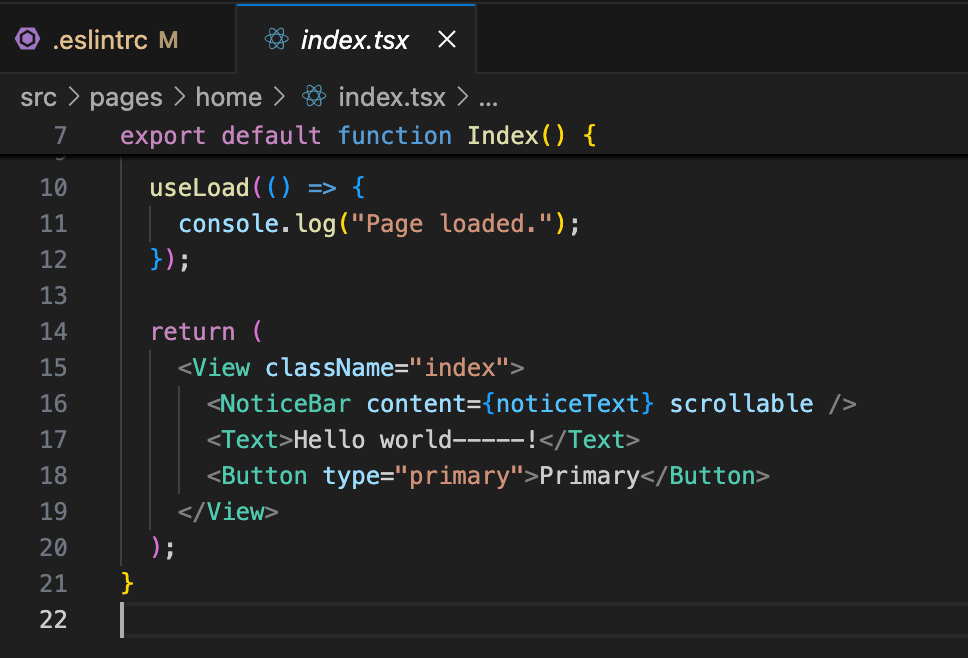
至此记录。
发布于2025-10-31 09:05:04
浏览量30·
写下你的想法
分享观点,友善交流ESLint rule中jsx-quotes的值可选为:
"off" - turns the rule off
"warn" - turn the rule on as a warning (doesn't affect exit code)
"error" - turn the rule on as an error (exit code is 1 when triggered)