rvm install ruby-3.2.2 failed: Error running 'requirements_osx_brew_update_system ruby-3.2.2'

最近换了电脑,所以又需要配置一下电脑的环境,但是在遇到ruby环境的升级时又遇到了新的问题,所以在此记录一下。
在我之前的文章:https://www.xinwei.ltd/article/87中,已经描述了如何在mac中安装rvm来管理ruby版本的流程和步骤。
但是一些异常情况仍然可能会出现,因为电脑系统版本等问题,这里出现的就是其中一种。
问题
➜ ~ sudo rvm install ruby-3.2.2 --verbose
Searching for binary rubies, this might take some time.
No binary rubies available for: osx/26.0/x86_64/ruby-3.2.2.
Continuing with compilation. Please read 'rvm help mount' to get more information on binary rubies.
Checking requirements for osx.
Installing requirements for osx.
Updating system..........Failed to update Homebrew, follow instructions at
.
https://docs.brew.sh/Common-Issuesand make sure
brew updateworks before continuing.
.
Error running 'requirements_osx_brew_update_system ruby-3.2.2',
please read /Users/hamry/.rvm/log/1758364524_ruby-3.2.2/update_system.log
Requirements installation failed with status: 1.
截图:
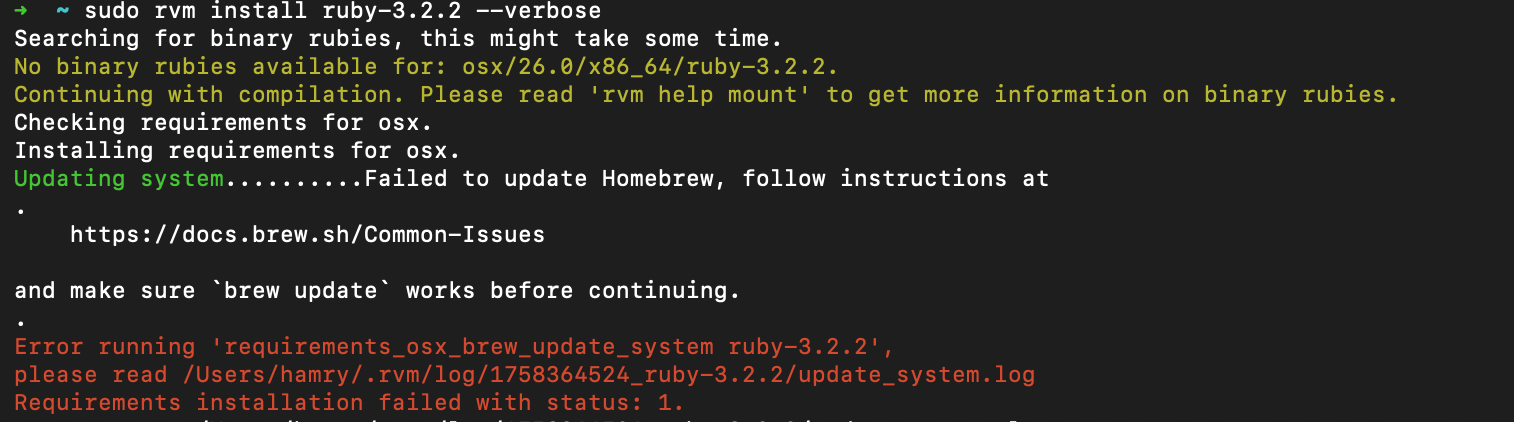
正如报错中所示,说没有更新Homebrew,但是当我执行brew update命令时,提示当前的Homebrew已经是最新版本。
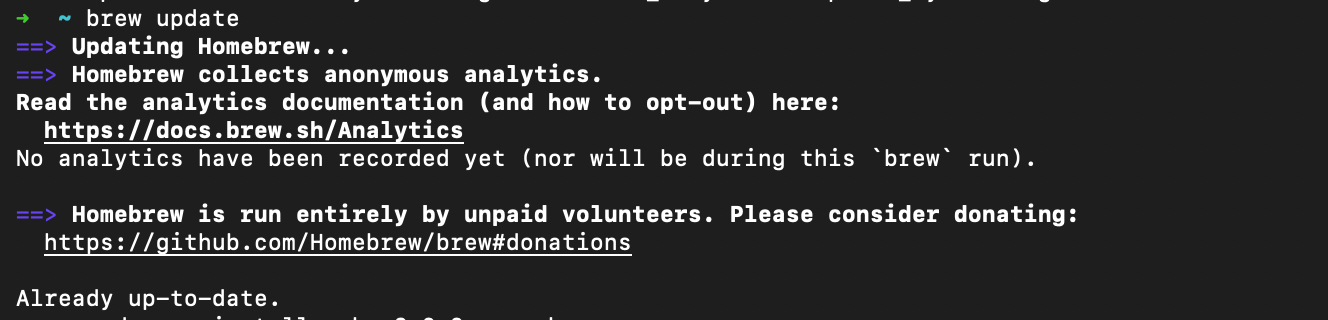
所以肯定是由其他问题导致的,那我们打开报错中的log文件,看能不能找到具体问题:
update_system.log
[2025-09-20 18:35:24] requirements_osx_brew_update_system
requirements_osx_brew_update_system ()
{
    if __rvm_version_compare "${_system_version}" -ge 10.7; then
        __rvm_detect_xcode_version_at_least 4.6.2 || __CLT_version_at_least 4.6.0 || {
            \typeset ret=$?;
            rvm_error "
Xcode version older than 4.6.2 installed, download and install newer version from:

    http://connect.apple.com

After installation open Xcode, go to Downloads and install Command Line Tools.
";
            return $ret
        };
    fi;
    brew update || {
        \typeset ret=$?;
        rvm_error "Failed to update Homebrew, follow instructions at

    https://docs.brew.sh/Common-Issues

and make sure \`brew update\` works before continuing.";
        return $ret
    }
}
current path: /Users/hamry
PATH=/Users/hamry/.nvm/versions/node/v22.19.0/bin:/Users/hamry/env_packages/flutter/bin:/usr/local/bin:/System/Cryptexes/App/usr/bin:/usr/bin:/bin:/usr/sbin:/sbin:/var/run/com.apple.security.cryptexd/codex.system/bootstrap/usr/local/bin:/var/run/com.apple.security.cryptexd/codex.system/bootstrap/usr/bin:/var/run/com.apple.security.cryptexd/codex.system/bootstrap/usr/appleinternal/bin:/Library/Apple/usr/bin:/Users/hamry/.rvm/bin
command(2): requirements_osx_brew_update_system ruby-3.2.2
++ __rvm_version_compare 26.0 -ge 10.7
++ typeset first
+++ command printf %b '26.0\n10.7\n'
+++ printf %b '26.0\n10.7\n'
+++ __rvm_version_sort
+++ command head -n1
+++ head -n1
+++ command awk '-F[.-]' -v OFS=. '{                   # split on "." and "-", merge back with "."
    original=$0                                        # save original to preserve it before the line is changed
    for (n=1; n<10; n++) {                             # iterate through max 9 components of version
      $n=tolower($n)                                   # ignore case for sorting
      if ($n == "")                 $n="0"             # treat non existing parts as 0
      if ($n ~ /^p[0-9]/)           $n=substr($n, 2)   # old ruby -p notation
      if ($n ~ /^[0-9](rc|b)/)      $n=substr($n, 1, 1)". "substr($n, 2)   # old jruby 0RC1 notation
      if (n == 1 && $n ~ /^[0-9]/)  $n="zzz."$n        # first group must be a string
      if (n > 1 && $n ~ /^[a-z]/)   $n=" "$n           # names go before numbers thanks to space
    }
    print $0"\t"original                               # print the transformed version and original separated by \t
                                                       # so we can extract original after sorting
  }'
+++ awk '-F[.-]' -v OFS=. '{                   # split on "." and "-", merge back with "."
    original=$0                                        # save original to preserve it before the line is changed
    for (n=1; n<10; n++) {                             # iterate through max 9 components of version
      $n=tolower($n)                                   # ignore case for sorting
      if ($n == "")                 $n="0"             # treat non existing parts as 0
      if ($n ~ /^p[0-9]/)           $n=substr($n, 2)   # old ruby -p notation
      if ($n ~ /^[0-9](rc|b)/)      $n=substr($n, 1, 1)". "substr($n, 2)   # old jruby 0RC1 notation
      if (n == 1 && $n ~ /^[0-9]/)  $n="zzz."$n        # first group must be a string
      if (n > 1 && $n ~ /^[a-z]/)   $n=" "$n           # names go before numbers thanks to space
    }
    print $0"\t"original                               # print the transformed version and original separated by \t
                                                       # so we can extract original after sorting
  }'
+++ LC_ALL=C
+++ sort -t. -k 1,1d -k 2,2n -k 3,3n -k 4,4n -k 5,5n -k 6,6n -k 7,7n -k 8,8n -k 9,9n
+++ awk '-F\t' '{print $2}'
++ first=10.7
++ case "$2" in
++ [[ 10.7 == \h\e\a\d ]]
++ [[ 10.7 == \1\0\.\7 ]]
++ return 0
++ __rvm_detect_xcode_version_at_least 4.6.2
+++ __rvm_detect_xcode_version
+++ typeset version_file
+++ for version_file in /Applications/Xcode.app/Contents/version.plist /Developer/Applications/Xcode.app/Contents/version.plist
+++ [[ -f /Applications/Xcode.app/Contents/version.plist ]]
+++ [[ -x /usr/libexec/PlistBuddy ]]
+++ /usr/libexec/PlistBuddy -c 'Print CFBundleShortVersionString' /Applications/Xcode.app/Contents/version.plist
+++ return 0
++ typeset __xcode_version=26.0
++ [[ -n 26.0 ]]
++ __rvm_version_compare 26.0 -ge 4.6.2
++ typeset first
+++ command printf %b '26.0\n4.6.2\n'
+++ printf %b '26.0\n4.6.2\n'
+++ __rvm_version_sort
+++ command head -n1
+++ head -n1
+++ command awk '-F[.-]' -v OFS=. '{                   # split on "." and "-", merge back with "."
    original=$0                                        # save original to preserve it before the line is changed
    for (n=1; n<10; n++) {                             # iterate through max 9 components of version
      $n=tolower($n)                                   # ignore case for sorting
      if ($n == "")                 $n="0"             # treat non existing parts as 0
      if ($n ~ /^p[0-9]/)           $n=substr($n, 2)   # old ruby -p notation
      if ($n ~ /^[0-9](rc|b)/)      $n=substr($n, 1, 1)". "substr($n, 2)   # old jruby 0RC1 notation
      if (n == 1 && $n ~ /^[0-9]/)  $n="zzz."$n        # first group must be a string
      if (n > 1 && $n ~ /^[a-z]/)   $n=" "$n           # names go before numbers thanks to space
    }
    print $0"\t"original                               # print the transformed version and original separated by \t
                                                       # so we can extract original after sorting
  }'
+++ awk '-F[.-]' -v OFS=. '{                   # split on "." and "-", merge back with "."
    original=$0                                        # save original to preserve it before the line is changed
    for (n=1; n<10; n++) {                             # iterate through max 9 components of version
      $n=tolower($n)                                   # ignore case for sorting
      if ($n == "")                 $n="0"             # treat non existing parts as 0
      if ($n ~ /^p[0-9]/)           $n=substr($n, 2)   # old ruby -p notation
      if ($n ~ /^[0-9](rc|b)/)      $n=substr($n, 1, 1)". "substr($n, 2)   # old jruby 0RC1 notation
      if (n == 1 && $n ~ /^[0-9]/)  $n="zzz."$n        # first group must be a string
      if (n > 1 && $n ~ /^[a-z]/)   $n=" "$n           # names go before numbers thanks to space
    }
    print $0"\t"original                               # print the transformed version and original separated by \t
                                                       # so we can extract original after sorting
  }'
+++ LC_ALL=C
+++ sort -t. -k 1,1d -k 2,2n -k 3,3n -k 4,4n -k 5,5n -k 6,6n -k 7,7n -k 8,8n -k 9,9n
+++ awk '-F\t' '{print $2}'
++ first=4.6.2
++ case "$2" in
++ [[ 4.6.2 == \h\e\a\d ]]
++ [[ 4.6.2 == \4\.\6\.\2 ]]
++ return 0
++ true
++ brew update
Error: Running Homebrew as root is extremely dangerous and no longer supported.
As Homebrew does not drop privileges on installation you would be giving all
build scripts full access to your system.
++ typeset ret=1
++ rvm_error 'Failed to update Homebrew, follow instructions at

    https://docs.brew.sh/Common-Issues

and make sure `brew update` works before continuing.'
++ rvm_pretty_print stderr
++ case "${rvm_pretty_print_flag:=auto}" in
++ case "${TERM:-dumb}" in
++ case "$1" in
++ [[ -t 2 ]]
++ return 1
++ printf %b 'Failed to update Homebrew, follow instructions at

    https://docs.brew.sh/Common-Issues

and make sure `brew update` works before continuing.\n'
++ return 1
log里面说:
Error: Running Homebrew as root is extremely dangerous and no longer supported.
As Homebrew does not drop privileges on installation you would be giving all
build scripts full access to your system.
++ typeset ret=1
++ rvm_error 'Failed to update Homebrew, follow instructions athttps://docs.brew.sh/Common-Issues
and make sure
brew updateworks before continuing.'
所以依然提到是Homebrew的问题,但我没有发现Homebrew哪里有问题,brew update也已经执行过了,brew命令也能正常执行,所以要考虑其他问题。
恰巧我以前在配置电脑环境中也遇到过openssl版本的问题,所以我怀疑是不是跟openssl版本有关系,这样想的原因是印象中有要把openssl升级到1版本的需要,然后在网上查到确实也有人提出要升级openssl的解决办法,索性尝试一下。

从截图中可以看出,我电脑上的openssl已经是最新的,有点奇怪。
那我在执行命令时,尝试直接指定openssl的位置,试一下,结果成功了。
最终解决方案(ruby最新版本是3.4.6):
terminal
rvm install ruby-3.4.6 --with-openssl-dir=$(brew --prefix openssl@1.1)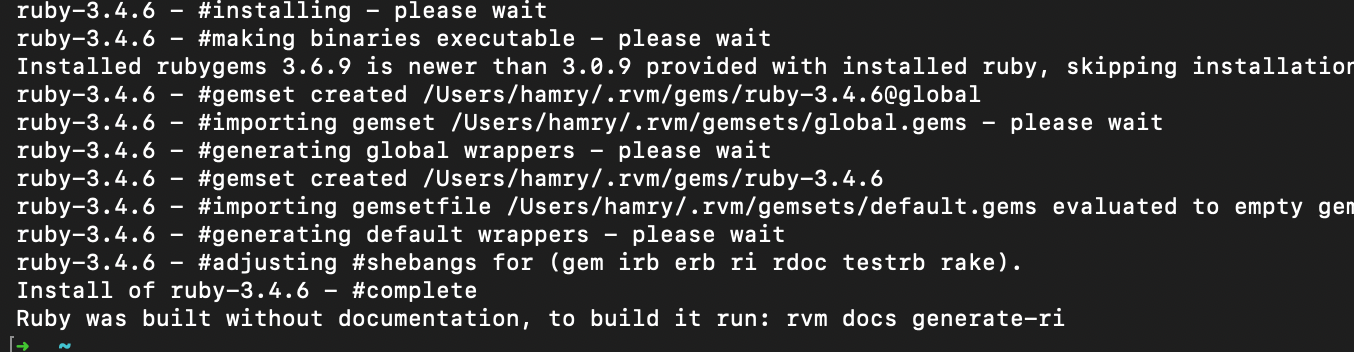
查看是否生效:
terminal
➜  ~ rvm docs generate-ri
Generating ri documentation.....................................
➜  ~ rvm list
=* ruby-3.4.6 [ x86_64 ]

# => - current
# =* - current && default
#  * - default
➜  ~
这样就可以了。
暂无评论,快来发表第一条评论吧