flutter: 改造in_app_purchase以支持在purchase failed时获取Apple pay的实际StoreKit error code.

背景
app最近一直有一些用户反馈支付失败的问题,根据早期的埋点数据,无法正确定位到用户购买失败的真正原因,所以需要进一步分析用户在支付失败情况下的真实原因。
当前的app是使用flutter开发的,并且使用了flutter的in_app_purchase这个库来实现的,但是在监听StoreKit的购买状态时候,error这个状态太模糊了,flutter在platform层hook支付结果后暴露出的error,和iOS StoreKit的error,形成了一对多的情况。当flutter监听到error状态时,可能指的是StoreKit众多失败原因中某一个。
in_app_purchase的flutter package地址:https://pub.dev/packages/in_app_purchase
目的
将iOS的StoreKit error错误code值,原原本本的反馈到flutter的error信息中。
我们先来看看SKError的error code枚举值:https://developer.apple.com/documentation/storekit/skerror
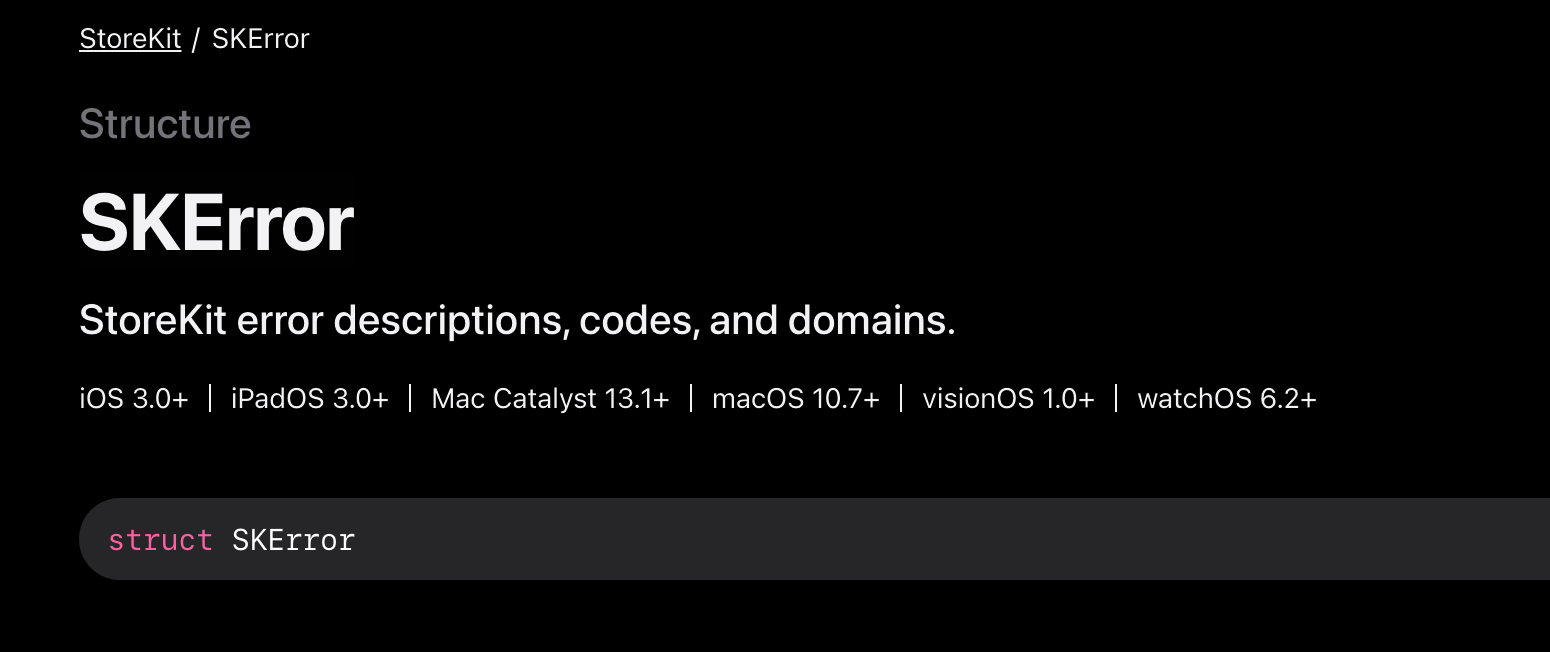
SKError enum
Error codes

enum Code

Error codes for StoreKit errors.

static var unknown: SKError.Code
Error code indicating that an unknown or unexpected error occurred.

static var clientInvalid: SKError.Code
Error code indicating that the client is not allowed to perform the attempted action.

static var paymentCancelled: SKError.Code
Error code indicating that the user canceled a payment request.

static var paymentInvalid: SKError.Code
Error code indicating that one of the payment parameters was not recognized by the App Store.

static var paymentNotAllowed: SKError.Code
Error code indicating that the user is not allowed to authorize payments.

static var storeProductNotAvailable: SKError.Code
Error code indicating that the requested product is not available in the store.

static var cloudServicePermissionDenied: SKError.Code
Error code indicating that the user has not allowed access to Cloud service information.

static var cloudServiceNetworkConnectionFailed: SKError.Code
Error code indicating that the device could not connect to the network.

static var cloudServiceRevoked: SKError.Code
Error code indicating that the user has revoked permission to use this cloud service.

static var privacyAcknowledgementRequired: SKError.Code
Error code indicating that the user has not yet acknowledged Apple’s privacy policy for Apple Music.

static var unauthorizedRequestData: SKError.Code
Error code indicating that the app is attempting to use a property for which it does not have the required entitlement.

static var invalidOfferIdentifier: SKError.Code
Error code indicating that the offer identifier cannot be found or is not active.

static var invalidOfferPrice: SKError.Code
Error code indicating that the price you specified in App Store Connect is no longer valid.

static var invalidSignature: SKError.Code
Error code indicating that the signature in a payment discount is not valid.

static var missingOfferParams: SKError.Code
Error code indicating that parameters are missing in a payment discount.

static var ineligibleForOffer: SKError.Code
An error code that indicates the user is ineligible for the subscription offer.

static var overlayCancelled: SKError.Code
An error code that indicates the cancellation of an overlay.

static var overlayInvalidConfiguration: SKError.Code
An error code that indicates the overlay’s configuration is invalid.

static var overlayPresentedInBackgroundScene: SKError.Code

static var overlayTimeout: SKError.Code
An error code that indicates the timing out of an overlay.

static var unsupportedPlatform: SKError.Code
An error code that indicates the current platform doesn’t support overlays.flutter的in_app_purchase的支付状态枚举:
purchase_status.dart
// Copyright 2013 The Flutter Authors. All rights reserved.
// Use of this source code is governed by a BSD-style license that can be
// found in the LICENSE file.

/// Status for a [PurchaseDetails].
///
/// This is the type for [PurchaseDetails.status].
enum PurchaseStatus {
  /// The purchase process is pending.
  ///
  /// You can update UI to let your users know the purchase is pending.
  pending,

  /// The purchase is finished and successful.
  ///
  /// Update your UI to indicate the purchase is finished and deliver the product.
  purchased,

  /// Some error occurred in the purchase. The purchasing process if aborted.
  error,

  /// The purchase has been restored to the device.
  ///
  /// You should validate the purchase and if valid deliver the content. Once the
  /// content has been delivered or if the receipt is invalid you should finish
  /// the purchase by calling the `completePurchase` method. More information on
  /// verifying purchases can be found [here](https://pub.dev/packages/in_app_purchase#restoring-previous-purchases).
  restored,

  /// The purchase has been canceled.
  ///
  /// Update your UI to indicate the purchase is canceled.
  canceled,
}
很明显,这里flutter的error值明显对应了iOS的众多error,导致埋点中无法细分具体error状态。
解决办法
思路是要git clone in_app_purchase fork到本地,修改in_app_purchase中的错误返回。
梳理逻辑
1.flutter中purchase error的业务代码中获取error code
在in_app_purchase的purchase stream listen中监听购买状态(具体使用方法请参考:https://pub.dev/packages/in_app_purchase):
example.dart
void _listenToPurchaseUpdated(List<PurchaseDetails> purchaseDetailsList) {
  purchaseDetailsList.forEach((PurchaseDetails purchaseDetails) async {
    if (purchaseDetails.status == PurchaseStatus.pending) {
      _showPendingUI();
    } else {
      if (purchaseDetails.status == PurchaseStatus.error) {
        _handleError(purchaseDetails.error!);
      } else if (purchaseDetails.status == PurchaseStatus.purchased ||
                 purchaseDetails.status == PurchaseStatus.restored) {
        bool valid = await _verifyPurchase(purchaseDetails);
        if (valid) {
          _deliverProduct(purchaseDetails);
        } else {
          _handleInvalidPurchase(purchaseDetails);
        }
      }
      if (purchaseDetails.pendingCompletePurchase) {
        await InAppPurchase.instance
            .completePurchase(purchaseDetails);
      }
    }
  });
}
对于error状态中error code获取:
example.dart
 if (purchaseDetails.status == PurchaseStatus.error) {
 ...
          var errorCode = -1;
          if (purchaseDetails.error != null && purchaseDetails.error.code != null) {
              errorCode = purchaseDetails.error.code;
          }
          PayTraceUtil.doPayTrace(payPageEventFrom!, PaySceneSourceType.ScenceDialogPayResult, errorCode);
...
}
在iOS平台下,上面监听purchase status示例代码中的PurchaseDetails的实例类型是AppStorePurchaseDetails
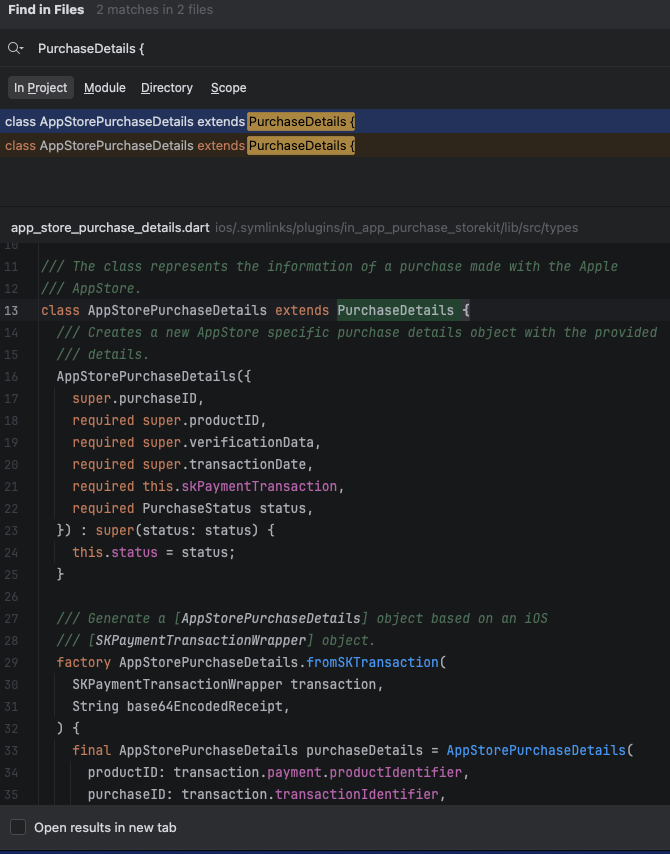
所以从iOS platform中传递过来的purchase购买实例,最终会包装为AppStorePurchaseDetails,那么我们就查一下这个class的构造函数:
app_store_purhase_details.dart
...
/// Generate a [AppStorePurchaseDetails] object based on an iOS
  /// [SKPaymentTransactionWrapper] object.
  factory AppStorePurchaseDetails.fromSKTransaction(
    SKPaymentTransactionWrapper transaction,
    String base64EncodedReceipt,
  ) {
    final AppStorePurchaseDetails purchaseDetails = AppStorePurchaseDetails(
      productID: transaction.payment.productIdentifier,
      purchaseID: transaction.transactionIdentifier,
      skPaymentTransaction: transaction,
      status: const SKTransactionStatusConverter()
          .toPurchaseStatus(transaction.transactionState, transaction.error),
      transactionDate: transaction.transactionTimeStamp != null
          ? (transaction.transactionTimeStamp! * 1000).toInt().toString()
          : null,
      verificationData: PurchaseVerificationData(
          localVerificationData: base64EncodedReceipt,
          serverVerificationData: base64EncodedReceipt,
          source: kIAPSource),
    );
    if (purchaseDetails.status == PurchaseStatus.error ||
        purchaseDetails.status == PurchaseStatus.canceled) {
      purchaseDetails.error = IAPError(
        source: kIAPSource,
        code: kPurchaseErrorCode",
        message: transaction.error?.domain ?? '',
        details: transaction.error?.userInfo,
      );
    }
...重点要看purchaseDetails.error的赋值,可以看到赋值的IAPError的code是kPurchaseErrorCode,查看这个常量值为:

如你所见,这里的code将永远是purchase_error。可以佐证,flutter的购买失败状态下,error code的值,针对任何iOS的失败枚举都只返回了这个常量值。
2. 如何传递正确的error code
还是在上面1中的构造函数中,我们可以看到有一个transaction,这个其实就是对应于StoreKit中的购买trasaction,它的类型是SKPaymentTransactionWrapper,我们来看看它的声明:
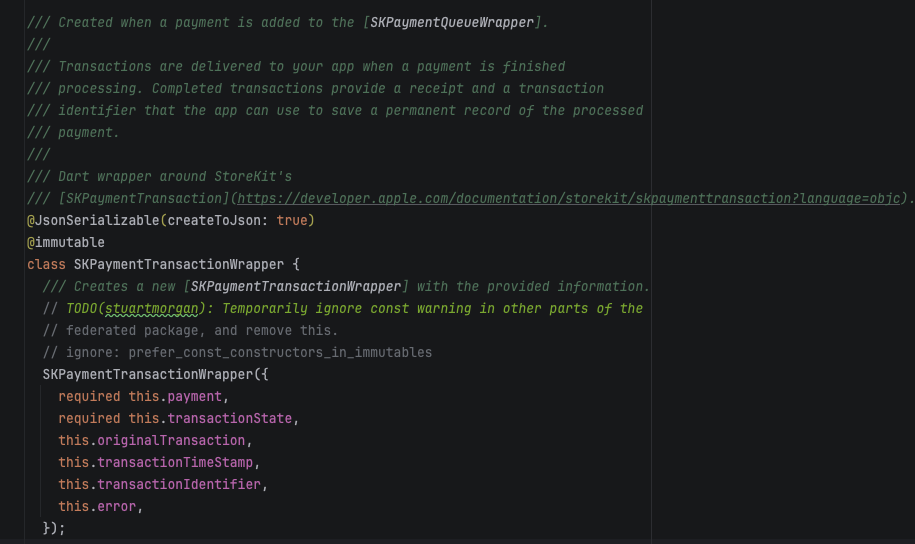
这里面有error,看看error的声明:
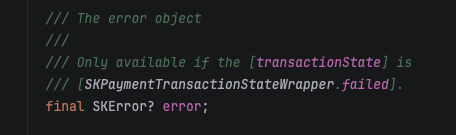
看到这个命名,大家也应该知道这个正好是对应于原生iOS的SKError。
所以我们需要将transaction的error(SKError)中的error code传递给IAPError的code,那么就可以达成我们的目的。
解决步骤
1. fork flutter的in_app_purchase
找到in_app_purchase的github地址:https://github.com/flutter/packages/tree/main/packages/in_app_purchase
git仓库结构是:
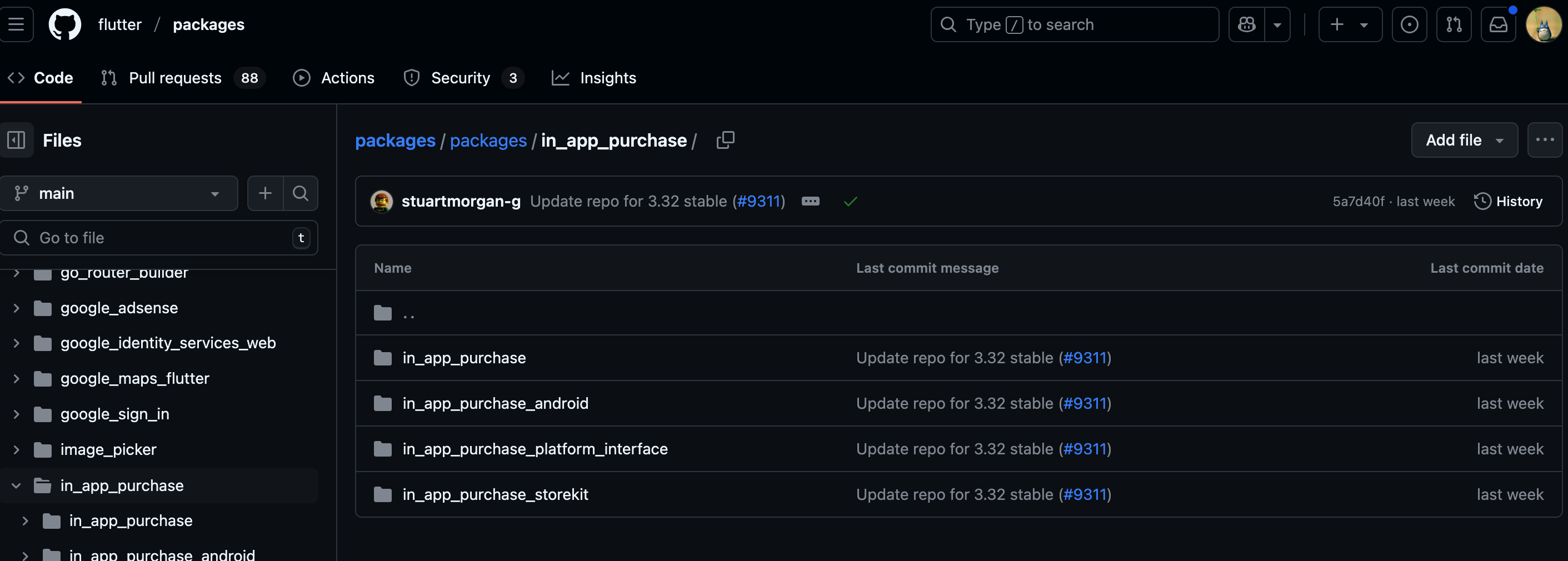
可以看到这里在flutter的整个package仓库中,无法单独fork,那我们直接就克隆整个package到本地。
我们需要找一个in_app_purchase的某一个版本,这里我使用的是3.2.0版本
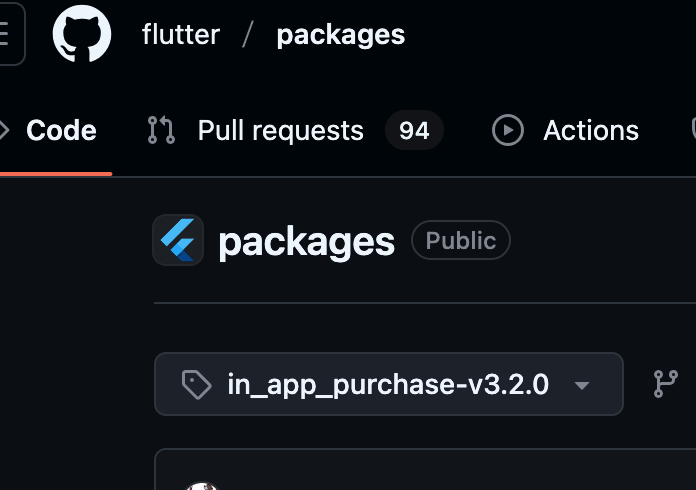
那么我们在某一个文件夹下,克隆到这个版本的所有flutter package
terminal
git clone -b in_app_purchase-v3.2.0 --single-branch git@github.com:flutter/packages.git克隆后找到in_app_purchase:
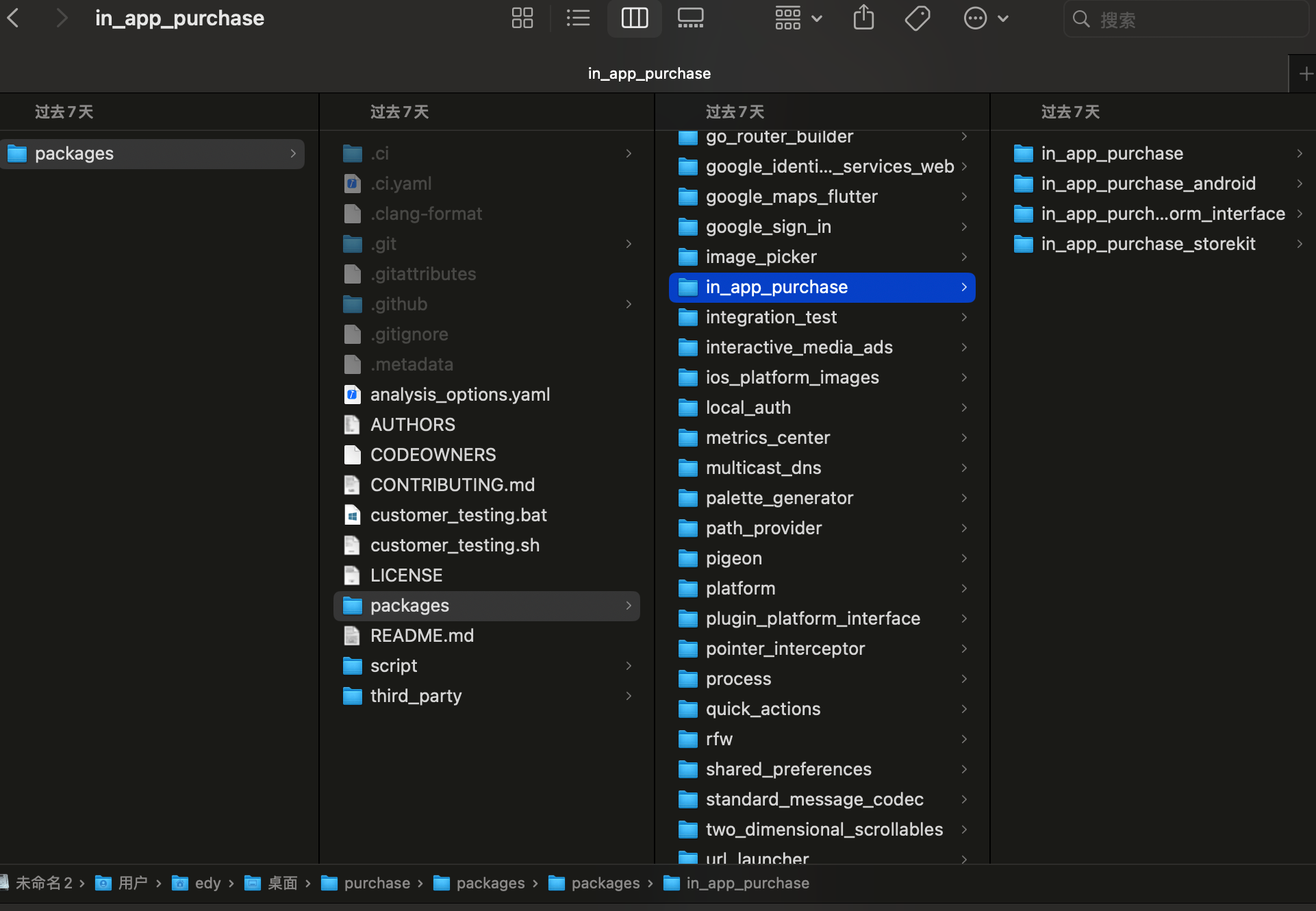
2. 修改in_app_purchase_storekit库
首先明确以下几个事情:
- 从上面的梳理思路中可以看到,我们需要修改的代码在
in_app_purchase_storekit这个package中。 in_app_purchase这个package是内部依赖in_app_purchase_android、in_app_purchase_platform_interface、in_app_purchase_storekit这3个平台库的。- 修改
in_app_purchase_storekit后依赖,那么必须要指定in_app_purchase去依赖我们本地修改后的。
看看in_app_purchase的pubspec.yaml:
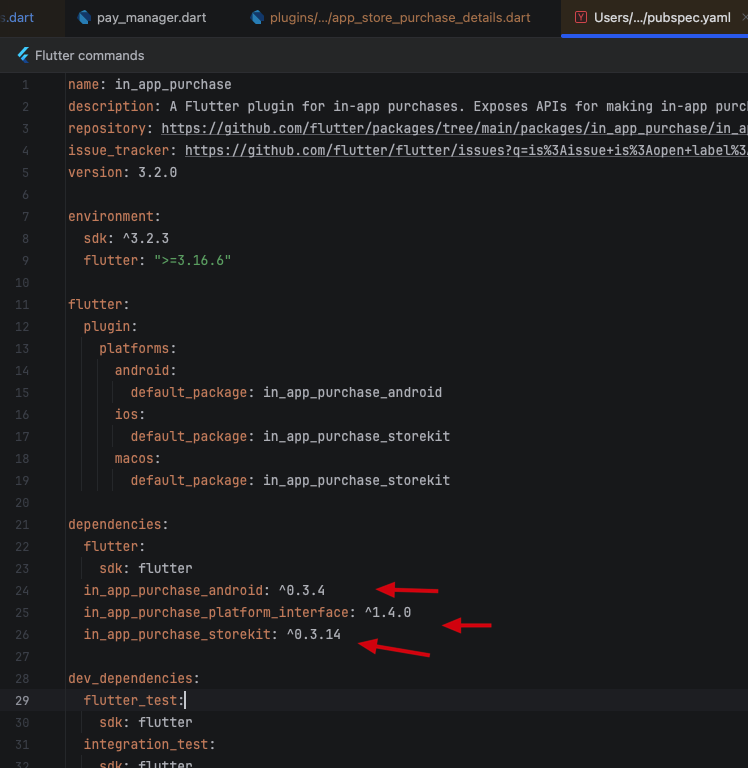
修改in_app_purchase_storekit,路径在/Users/edy/Desktop/purchase/packages/packages/in_app_purchase/in_app_purchase_storekit/lib/src/types/app_store_purchase_details.dart:
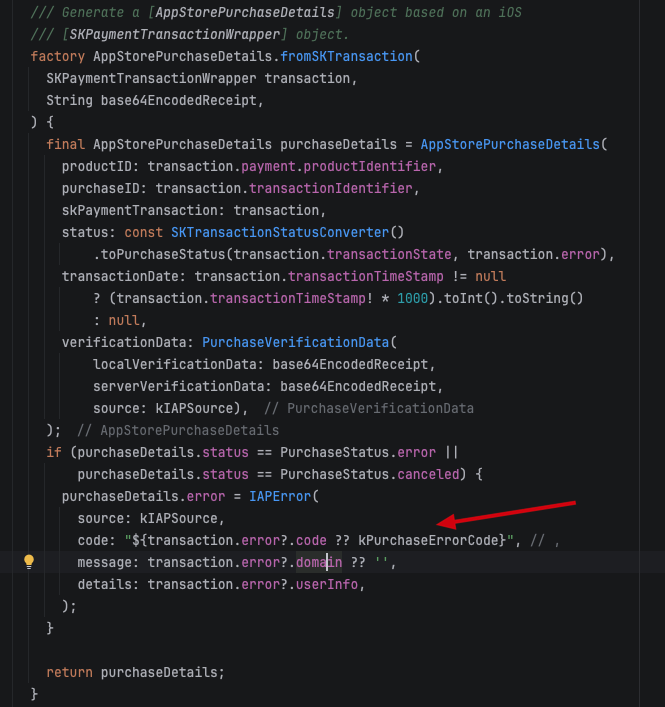
app_store_purchase_details.dart
...
if (purchaseDetails.status == PurchaseStatus.error ||
    purchaseDetails.status == PurchaseStatus.canceled) {
      purchaseDetails.error = IAPError(
        source: kIAPSource,
        code: "${transaction.error?.code ?? kPurchaseErrorCode}", // ,
        message: transaction.error?.domain ?? '',
        details: transaction.error?.userInfo,
      );
}
...- 将修改后的
in_app_purchase_storekit引入到flutter工程中
我们可以在flutter中新建一个文件夹,将修改的库拷贝到这里。
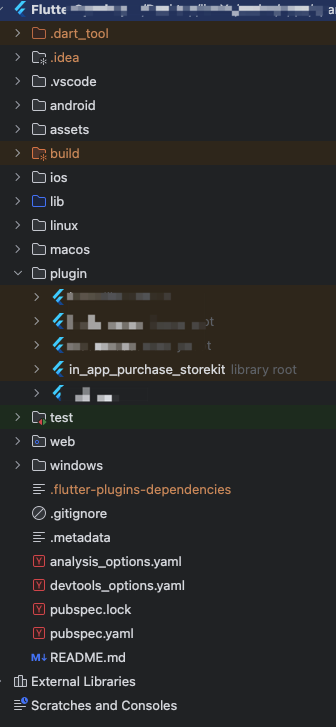
我新建一个plugin文件夹,将修改后的库放在这里.
- 让
in_app_purchase使用修改后的in_app_purchase_storekit
首先引入in_app_purchase是必要的
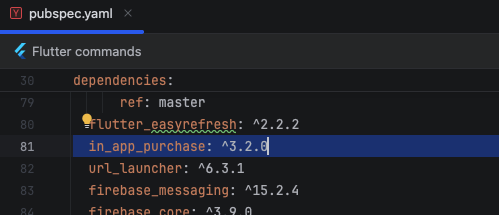
pubspec.yaml
...
in_app_purchase: ^3.2.0
...要让in_app_purchase引用我们plugin文件夹下的in_app_purchase_storekit,那么我们需要知道必须要使用override的方式,同样需要在pubspec.yaml文件中引入:
pubspec.yaml
...
dependency_overrides:
  in_app_purchase_storekit:
    path: plugin/in_app_purchase_storekit
...- 运行flutter到iOS上,断点调试,成功。
以上就是所有的流程了,大家如果有类似的需要,不妨试试。
暂无评论,快来发表第一条评论吧