FirebaseError: Firebase: Invalid Idp Response: the Google id_token is not allowed to be used with this application. ..

一、前言
在集成firebase来实现Google的授权登录时,有一种场景可能会导致Google授权失败,这篇文章来分享一下我遇到的这个问题。
问题:
FirebaseError: Firebase: Invalid Idp Response: the Google id_token is not allowed to be used with this application. Its audience (OAuth 2.0 client ID) is 99914531xxxx-bbbvcr84fckm6is00it6igep9e0vkk57.apps.googleusercontent.com, which is not authorized to be used in the project with project_number: 48135841xxxx. (auth/invalid-credential).
在我的上一篇文章 https://www.xinwei.ltd/article/141 中,我已经分享了集成firebase的google授权登录的方法,但是可能会有人遇到上面的这个问题。
出现问题的原因,是在于firebase是否自动在开发者的Google console中创建了client ID。另外还有一种情况是,如果开发者自己在Google console平台上新建了多个平台的app,然后这多个平台的app使用同一个firebase的情况下,会出现上面的这个问题。
解决这个问题的方法很简单,就是需要在firebase的Google授权登录配置的地方,新增一个client ID,我截图给大家说明一下。
二、解决方案
2.1 firebase console中配置
如下截图所示,firebase的控制台中已经提供了可以额外添加client ID的地方,这个地方是允许我们加入Google console平台上的client id的,在截图所载位置的地方加上client ID,并且保存后,Google console平台上的app就可以使用这个firebase项目的授权登录了。
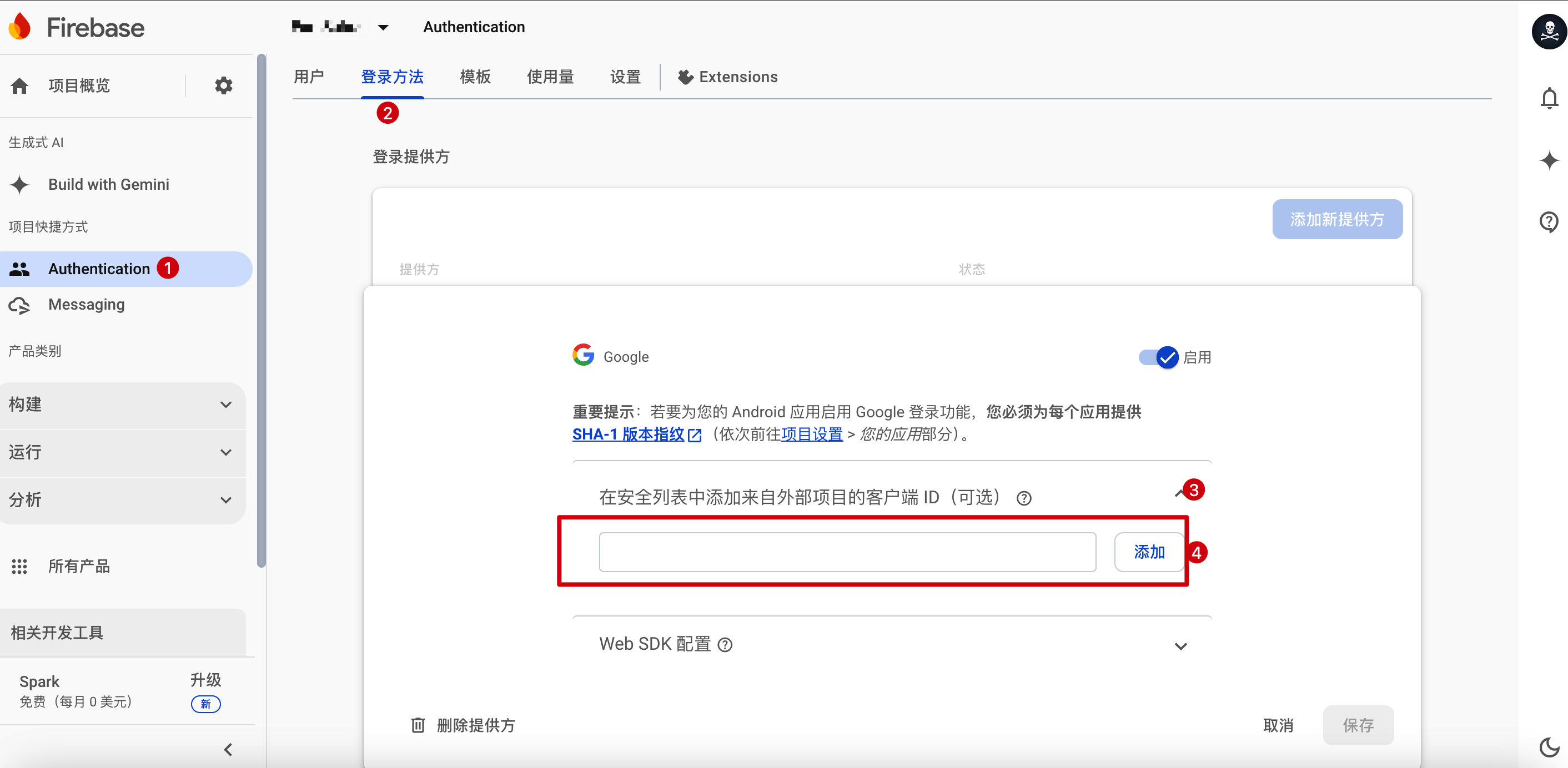
如果大家对这个步骤比较迷惑,建议阅读我之前的文章:https://www.xinwei.ltd/article/141
2.2 google console中的client ID
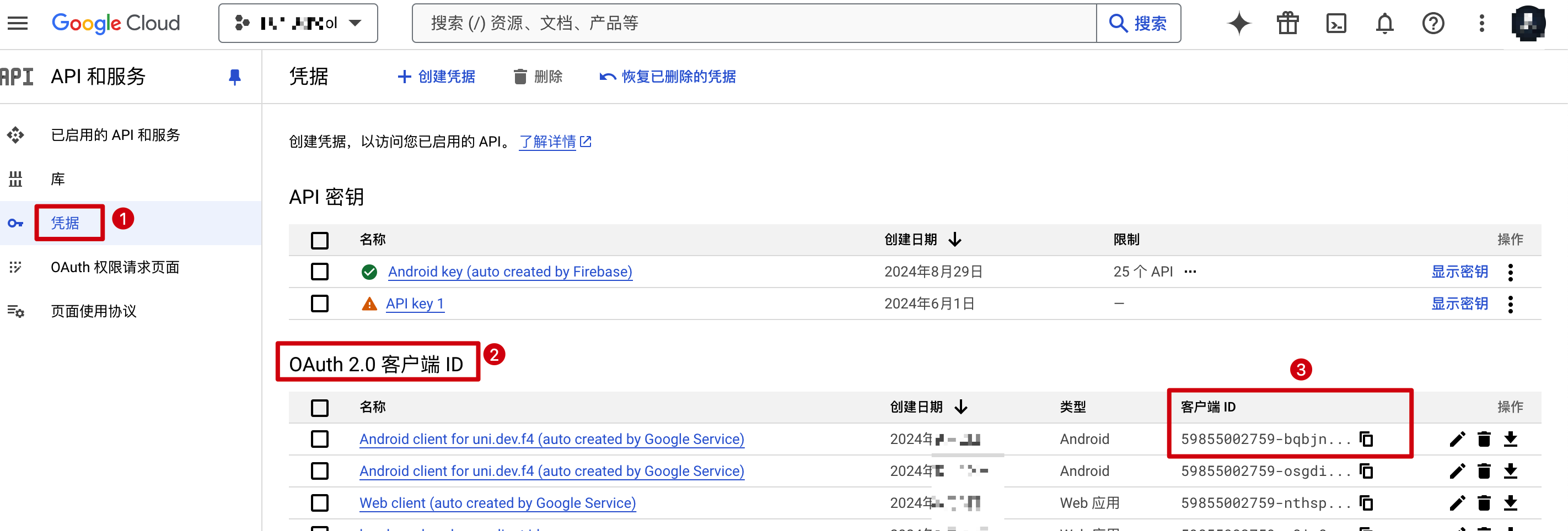
如截图所示,这里的client id,就是需要复制粘贴到firebase console中的值,按照这个序号操作,你就可以看到这个client id,然后根据我上面给出的文章链接,就可以解决这个问题。
希望对大家有帮助。
暂无评论,快来发表第一条评论吧